
The day list
Tasks, habits and events with the details that decide what to do next.
For those who dream big
One list for today's tasks, habits and events, and a page for every project behind it. On your phone and on the web.
Free to start. No card needed.
Who it is for
The founder
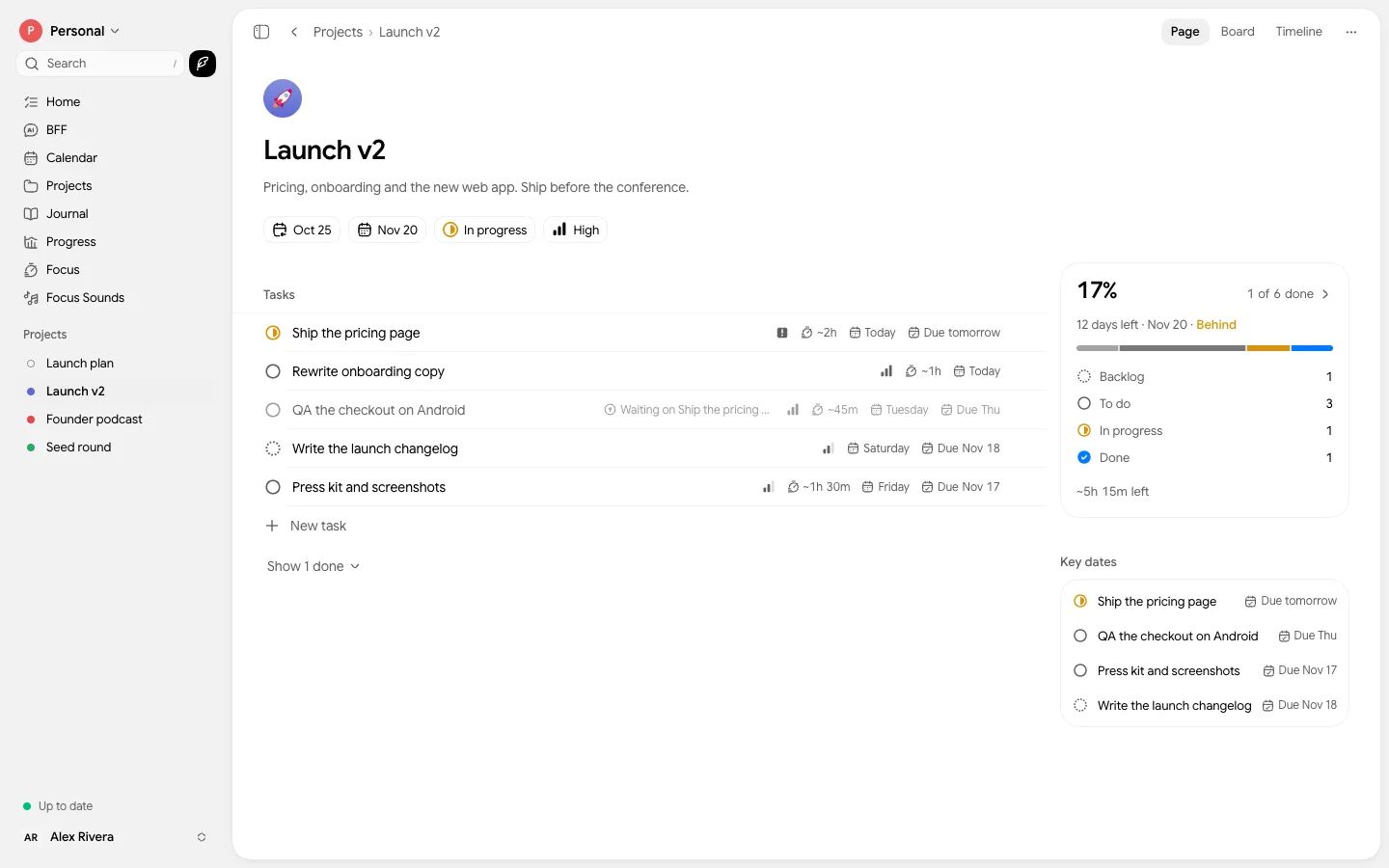
Each product is a project with its own progress, pace and dates. Today's list pulls from all three, so Tuesday's launch and Friday's investor update sit in the same day.
In FocusBFF · Projects: Launch v2, Podcast, Seed round
The maker
Give the side project a page, a timeline and a focus session, so it does not sink into the pile. Profiles keep Work and Personal apart.
In FocusBFF · Profiles: Work, Personal
The student
Mark what waits on what. When the day slips, Reshuffle fits the rest into the time you have left, and the deadlines stay in view.
In FocusBFF · Blocked by: Chapter 3 waits on the survey
Your day
Tasks, habits and events together, with status, priority, estimates and deadlines. When the day slips, Reshuffle fits what is left into the time you have.
Your projects
See how far along a project is, whether you are on pace, and which dates matter. Open the timeline to see every task on a calendar, and drag a bar to move it.
Features
The real app, on the web. The phone has the same screens.
Tasks, habits and events with the details that decide what to do next.
Every task on a calendar. Drag to reschedule.
A mood bloom, templates, photos and a recap of each day.
A year heatmap, streaks and your best weeks.
Schedule, day and month views of the same plan.
Ask for a change. Review it, then apply.
Ambient sounds, tied to the task you are on.
Write the update next to the work it is about.
Change it on one, it is on the other. Works offline.
Also: profiles for Work and Personal, Glance, and alarm-style reminders.
BFF Chat
BFF reads your plan, answers questions about it and proposes changes. Nothing is saved until you review it and apply it. On the phone, you can talk to it.
Focus
Pick a task, press start, add a sound if it helps. Sessions count toward the task and its project. On your phone, FocusBFF can also block distracting apps on a schedule or after a time limit.
Pricing
Sync is free for everyone. A plan limits what you can create, never whether it syncs.
$0
Enough to plan your days and try every part.
$39.99a year
About $3.33 a month. Or $9.99 a month, cancel any time.
Everything in Free, and:
FAQ
Yes, to start. Free gives you 10 activities, 3 journal entries a day, sync, the calendar, Reshuffle, the focus timer and one app-blocking rule. Plus removes the limits and adds BFF Chat, notes editing, Glance, more focus rules and alarm-style reminders.
Yes, at focusbff.com/app. Sign in with Google or Apple and it shows the same plan as your phone. App blocking, alarms and voice stay on the phone.
Yes. Changes are saved on your device and sync when you are back online.
No. BFF proposes changes as a card. You can edit, apply or discard it, and nothing is saved until you apply.
Only if you allow it, for that request. The text is read once and never stored.
iPhone and Android phones. The web app runs in any current browser.
Add what is due, open the project that matters, and let the day fit around it.
Free to start.


